 ChatGPT
 Claude
 Perplexity
 Gemini
 Grok
Key highlights
- Multi agent AI systems split a complex workflow across specialized agents, each with a narrow job, limited tools and clear outputs.
- Anthropic reports large gains for parallel research tasks, but also about 15 times the token use of a normal chat.
- Orchestration written in normal code is easier to test, debug and audit than agents deciding their own control flow.
- Human approval belongs in front of actions that move money, cannot be undone or rest on low confidence output.
- Timeouts, budgets, checkpoints, idempotent actions and safe fallbacks keep agent failures contained and recoverable.
A single AI chatbot can answer a question. Most business processes are not single questions. Approving a supplier invoice means reading the document, matching it to a purchase order, checking the budget, flagging anything unusual and getting sign off. Resolving a complex complaint means finding the order, checking policy, drafting a reply and sometimes issuing a refund.
Multi agent AI systems split work like this across several specialized AI agents that coordinate, use business tools and pass results along a defined path. Vendors are quick to promise fully autonomous operations. The reality is more modest and more useful: multi agent designs help with specific kinds of complex work, while adding cost and new ways to fail.
This guide explains how to divide responsibilities between agents, orchestrate them, move data safely, keep people in charge of risky steps and handle failures, with use cases you can adapt.
Multi agent AI systems divide a complex workflow among specialized AI agents, coordinated by an orchestrator, with tools for real actions and human approval at risky steps. They suit work with independent subtasks and clear checks. For simple, predictable processes, a single agent or a plain workflow is cheaper and more reliable.
- Give each agent one clear job and limited tools
- Put people in front of irreversible actions
- Start with a workflow and add agents only where needed
What a multi agent AI system is
An AI agent is a language model that can decide on steps, call tools such as APIs or databases, look at the results and continue until it reaches a goal. A multi agent system uses several of these, each with its own instructions, tools and permissions, plus a coordination layer that decides who does what and when.
It helps to separate agents from workflows. Anthropic's guide to building effective agents describes workflows as systems where models and tools follow predefined code paths, and agents as systems where the model directs its own process. Many successful business automations are mostly workflow, with agent behavior only in the steps that need judgment. If the terms are new, our explainer on agentic AI vs generative AI covers the basics.
When multiple agents beat a single agent
More agents is not automatically better. Some of the clearest public evidence comes from Anthropic's write up of its multi agent research system. A lead agent plans the work and starts subagents that search in parallel. On Anthropic's internal research evaluation, this setup, with a Claude Opus 4 lead and Claude Sonnet 4 subagents, outperformed a single Claude Opus 4 agent by 90.2%.
The same report is open about the cost. Agents typically use about 4 times more tokens than chat interactions, and multi agent systems about 15 times more. The authors also say that tasks where agents must share the same context, or depend heavily on each other, are not a good fit today.
A useful rule follows: if the work does not naturally break into parts that can run without constant back and forth, a single agent with good tools will usually serve you better. Multi agent designs tend to suit:
- Work that splits into independent parts, such as researching several suppliers at once.
- Stages that need different tools or permissions, so each agent can stay narrow.
- Cases involving more information than fits comfortably in one context window.
- Tasks valuable enough to justify higher model costs per case.
The 90.2% gain and the token multipliers come from one company's internal evaluation of a research task. They show the pattern can work, not that your process will see the same result. Run a pilot with your own success measures before committing.
Designing agent responsibilities
The most common design mistake is giving one agent too many jobs or too many tools. Treat agents like roles in a small team: each needs a clear job description, the minimum access to do it and a defined output the next step can check.
| Agent role | Job | Typical tools | Access |
|---|---|---|---|
| Intake agent | Reads emails, forms or documents and extracts structured data | Document parser, OCR | Read only |
| Research agent | Gathers context such as order history or supplier records | CRM, ERP and search APIs | Read only |
| Policy agent | Checks the case against business rules and limits | Rules engine, policy documents | Read only |
| Action agent | Drafts replies, creates tickets or prepares payments | Email, ticketing and payment APIs | Write, behind approvals |
| Reviewer agent | Checks other agents' output for errors and gaps | Validation scripts, evals | Read only, can reject |
Only one role can change anything. Keeping write access in a single, well guarded agent makes approvals and audits far simpler.
Orchestration patterns that work in practice
Orchestration is the logic that decides which agent runs, in what order and with what input. The patterns in Anthropic's agent guide cover most business needs:
- Prompt chaining: fixed sequential steps with checks between them, best for predictable processes.
- Routing: a classifier sends each case to the right specialist, such as billing or technical support.
- Parallelization: several agents handle separate parts at once and their results are combined.
- Orchestrator and workers: a lead agent splits a task it could not plan in advance and delegates the pieces.
- Evaluator and optimizer: one agent drafts and another critiques until the output meets the standard.
Start with the most predictable pattern that works. A routing step plus a fixed chain is easier to test, cheaper to run and simpler to explain to auditors than a fully dynamic orchestrator. Add autonomy only where fixed paths break down.
Use normal code for sequencing, retries and approvals, and let models handle only the judgment calls. Deterministic orchestration is much easier to debug than an agent deciding its own next step.
Data flow and tools: how agents share context
Agents fail quietly when they pass vague text to each other. Define structured handoffs instead: each agent returns a typed object, such as an invoice record with amounts, dates, a confidence score and a list of open questions. The next agent reads only the fields it needs.
Tool access is becoming more standard. The Model Context Protocol is an open standard for connecting AI applications to external systems such as files, databases and business tools. For communication between agents from different vendors, Google created the Agent2Agent protocol, which the Linux Foundation took under its governance in June 2025.
- Keep a shared case record in your own database, not only in model conversation history.
- Pass references, such as an order ID, instead of copying full customer records between agents.
- Mask personal and payment data before it reaches a model that does not need it.
- Log every tool call with its inputs, outputs and the agent that made it.
{
  "caseId": "INV-20431",
  "stage": "policy_check",
  "invoiceTotal": 4820.00,
  "currency": "USD",
  "matchedPurchaseOrder": "PO-7781",
  "confidence": 0.82,
  "openQuestions": ["Unit price differs from purchase order on line 3"]
}
Treat these protocols as plumbing, not strategy. They make it easier to connect tools and agents, but they also widen what an agent can reach. Every new connection is a new permission to review, so add tools one at a time and give each agent only the connections its role needs.
Human approvals: where people stay in the loop
Human approval is not a sign that automation failed. It is how agents handle high volume work while people stay responsible for the decisions that matter. The OWASP Top 10 for LLM Applications lists excessive agency, giving AI more permission or autonomy than it needs, among its main risks.
- Require approval when an action moves money, such as payments or refunds above a set amount.
- Require it when an action cannot be undone, such as deleting data or emailing a customer.
- Require it when access, contracts or prices change.
- Require it when output has low confidence or the data conflicts.
Design the approval screen with care. Show the proposed action, the evidence behind it and what the agents were unsure about, so a reviewer can decide quickly. If reviewers start approving everything without reading, the threshold is wrong.
Approval levels can change over time. A common path has three stages: shadow mode, where agents suggest actions but people do the work; approval mode, where agents act only after a click; and limited autonomy, where low risk actions run automatically and a sample is reviewed each week. Move a task to the next stage only when the data supports it.
Failure handling: what goes wrong and how to recover
Multi agent systems fail in ways single programs do not. The 2025 study Why Do Multi-Agent LLM Systems Fail? annotated more than 1,600 traces across 7 popular frameworks and found 14 failure modes in three groups: system design issues, misalignment between agents and weak task verification. In plain terms, agents misread their role, talk past each other or declare success too early.
Anthropic's research team makes a related point: agents are stateful and errors compound. Their answer was systems that resume from where an error occurred instead of restarting, combined with retry logic and regular checkpoints.
- Timeouts and step limits so an agent cannot loop forever.
- Budgets for tokens and cost per case, with an alert when a case exceeds them.
- Checkpoints that save state after each step, so work resumes instead of starting over.
- Idempotent actions so a retried payment or email never happens twice.
- Verification steps where a rule or reviewer agent checks output before it moves on.
- A safe fallback that sends the case to a person with everything gathered so far.
You also need to see failures. Give every case a trace ID that follows it through each agent and tool call, so you can replay what happened when something goes wrong. Without that, debugging a multi agent system means guessing which agent made which decision.
Real business use cases for multi agent AI
The best candidates are high volume processes with clear rules, several data sources and a human decision at the end. These patterns apply across industries and countries:
| Use case | How agents divide the work | Where a person approves |
|---|---|---|
| Accounts payable | Intake reads invoices, research matches purchase orders, policy flags mismatches | Payments above a threshold or with mismatches |
| Support escalations | Router classifies, research pulls order history, drafter writes the reply | Refunds, compensation and sensitive complaints |
| Proposals and RFP responses | Research agents gather facts in parallel, writer drafts, reviewer checks claims | Final pricing and commitments |
| IT incident triage | Monitor groups alerts, diagnostic agent reads logs, runbook agent suggests fixes | Any change to production systems |
| Supplier onboarding | Intake collects documents, checker verifies details against public registries, summarizer prepares a file | Final approval of the new supplier |
Customer support is often the easiest place to start, because conversations are already logged and outcomes are simple to measure. We cover that path in AI customer support automation.
How to implement your first multi agent workflow
- 1
Map the current process
Write down each step, who does it, which systems they use and where mistakes happen. This map becomes the blueprint for agent roles.
- 2
Automate the predictable parts first
Build fixed steps as a normal workflow with a model call only where judgment is needed. Many teams stop here because it already works.
- 3
Add specialized agents where needed
Introduce separate agents only for steps that need different tools, parallel work or long context.
- 4
Build evals and failure tests
Collect real past cases, including messy ones, and test each. Include tool errors, timeouts and bad input.
- 5
Pilot with approvals on everything
Run in approval mode first. Relax approvals only for action types that stay reliable over weeks of data.
- 6
Monitor cost and quality
Track cost per case, completion rate, approval rate and errors, and review them weekly during the pilot.
Not every agent needs the largest model. Classification and extraction often run well on smaller, cheaper models, as our comparison of SLMs vs LLMs explains.
Conclusion: start narrow and automate what you can check
Multi agent AI systems can take on complex workflows that a single chatbot cannot, especially when work splits into parallel parts and needs different tools. They also cost more to run and fail in new ways. The approach that holds up is narrow roles, orchestration in code where possible, structured data, human approvals for risky actions and solid failure handling. If you are thinking about automating a multi step process, Brahmabyte Lab can help you map it, choose the right design and build a pilot you can measure. Book a free first consultation to get started.
Frequently asked questions
It is a system where several AI agents, each with its own instructions, tools and permissions, work together on one task. A coordination layer decides which agent runs, in what order and with what data. The goal is to handle work that is too broad or too varied for a single agent.
A single agent plans and acts alone with one set of tools and one context window. A multi agent system divides the work, so agents can run in parallel, use different tools and hold separate context. The trade off is higher cost and more ways for coordination to fail.
Orchestration is the logic that assigns work to agents, passes data between them and decides what happens next. It can be fixed code, a routing step or a lead agent that delegates dynamically. Fixed code is easier to test, so use it wherever the process is predictable.
They usually cost more than a single model call. Anthropic reports that its multi agent research system uses about 15 times more tokens than a chat interaction. Whether that is worth it depends on the value of each task, so measure cost per case during a pilot.
High volume processes with clear rules, several data sources and a human decision at the end are good candidates. Examples include accounts payable, support escalations, proposal writing and IT incident triage. Processes that need constant shared context between steps are a weaker fit.
Give each agent the minimum permissions it needs, keep write access in as few agents as possible and require human approval for risky actions. Log every tool call, mask personal data and set limits on steps, time and cost. Test failure cases before launch, not only happy paths.
Sources and references
- How we built our multi-agent research system, Anthropic
- Building effective agents, Anthropic
- Why Do Multi-Agent LLM Systems Fail?, arXiv
- What is the Model Context Protocol (MCP)?, Model Context Protocol
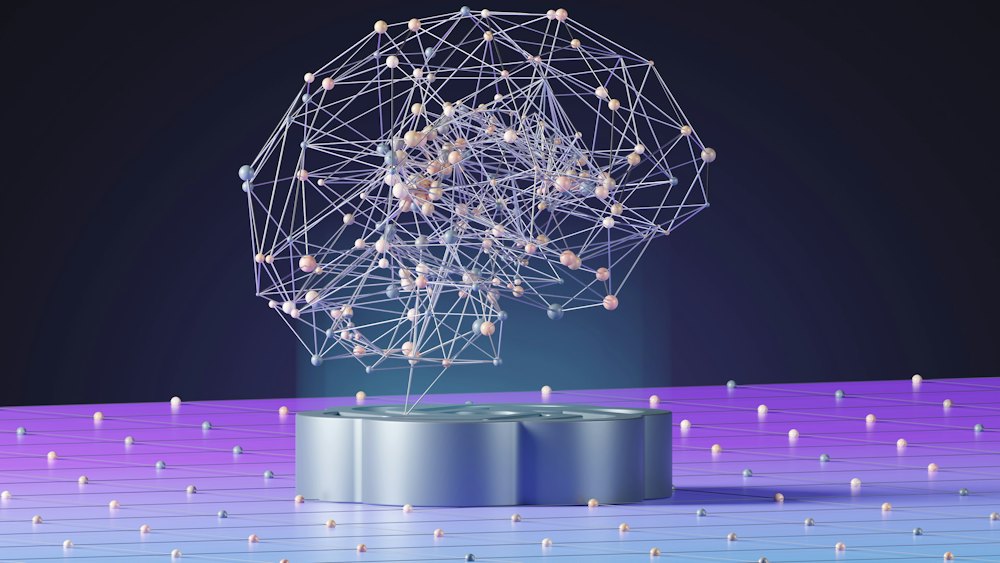
Cover photo by Simon Kadula
Stay in the loop
Get our latest guides on software, SaaS and growth delivered to your inbox.
By subscribing, you agree to get updates from Brahmabyte Lab. You can unsubscribe any time. Brahmabyte Lab TeamEngineers, designers and writers at Brahmabyte Lab Back to blog